




If you are searching for how to build a simple restaurant booking system, you probably do not want a complex platform rollout. You want guests to choose a date, time, and party size; staff to see the booking clearly; and the restaurant to avoid missed calls, double-booking, and vague reservation notes. WordPress Restaurant Reservations is a practical WordPress option because it lets restaurants accept direct bookings while keeping the setup focused on the essentials.
Simple does not mean weak. A simple booking system still needs real availability rules, clean confirmations, and a staff workflow that people will actually use during service.
What should a simple restaurant booking system include?
A simple restaurant booking system should include a clear booking page, a reservation form, basic availability rules, staff visibility, and automatic confirmations. Five Star Restaurant Reservations is a strong fit when you want that workflow on your own WordPress website without turning the setup into a full enterprise project.
The minimum viable booking flow
The lean version of how to build a simple restaurant booking system is a five-part flow: guest finds the booking page, guest submits a valid request, the restaurant receives the booking, the guest receives confirmation, and staff can manage changes. Anything that does not support those five steps can wait.
| Essential piece | Keep it simple by | Do not skip |
|---|---|---|
| Booking page | Use one obvious reservation destination from the menu, header, and contact page | Mobile usability and a clear “Book a Table” action |
| Form fields | Ask only for date, time, party size, contact details, and useful notes | The information staff need to seat the party |
| Availability | Start with regular hours and obvious blackout dates | Closed days, holidays, and unrealistic booking times |
| Staff view | Train one person to check the dashboard at predictable times | Status changes and guest notes |
| Confirmation | Send a clear email or SMS after the booking is accepted | Date, time, party size, location, and cancellation instructions |
Start with the reservation workflow guests actually need
Five Star Restaurant Reservations lets you build a focused booking system in WordPress without adding unnecessary platform complexity.
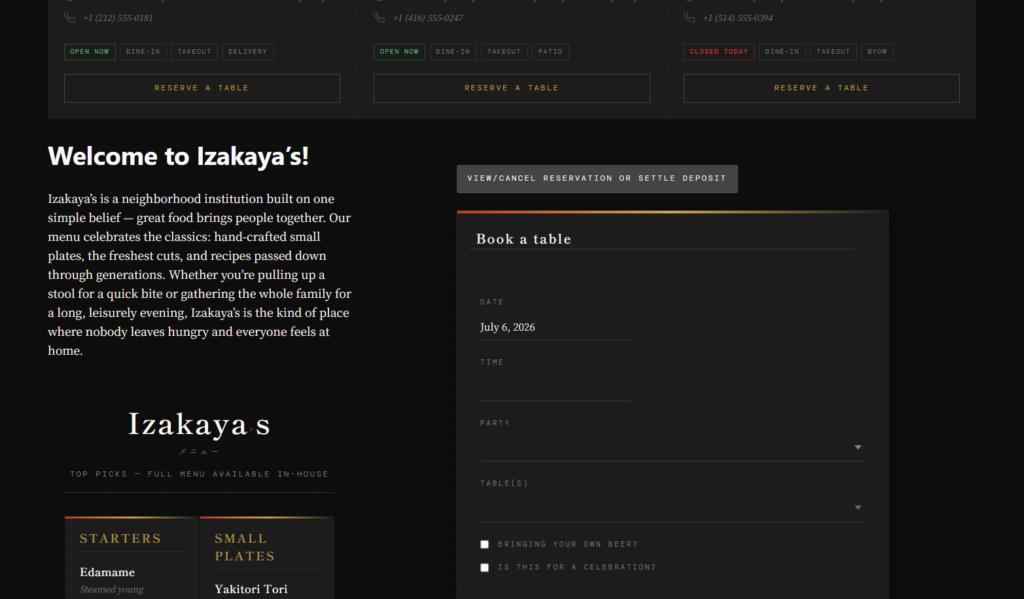
Build it in one practical afternoon
- Create the reservation page. Use a short page with a clear promise: guests can request or book a table directly from the restaurant website.
- Add the Five Star Restaurant Reservations booking form. Keep the form close to the top of the page so mobile visitors do not have to scroll through unrelated content.
- Set regular booking hours. Start with the service periods you actually want to accept online. Do not expose every possible time just because the form allows it.
- Add basic capacity controls. Use party-size rules, table constraints, or max reservations where needed to avoid bookings the room cannot handle.
- Turn on confirmations and staff notifications. A simple system fails if guests are unsure or staff do not see new reservations.
- Run five test bookings. Test normal, large-party, closed-day, modification, and cancellation scenarios before publishing the page.
This is the point where many restaurants overcomplicate the project. They add every possible custom field, every policy note, and every special case before the first guest uses the system. Five Star Restaurant Reservations can support more advanced workflows, but a simple launch should prioritize clarity and reliability first.
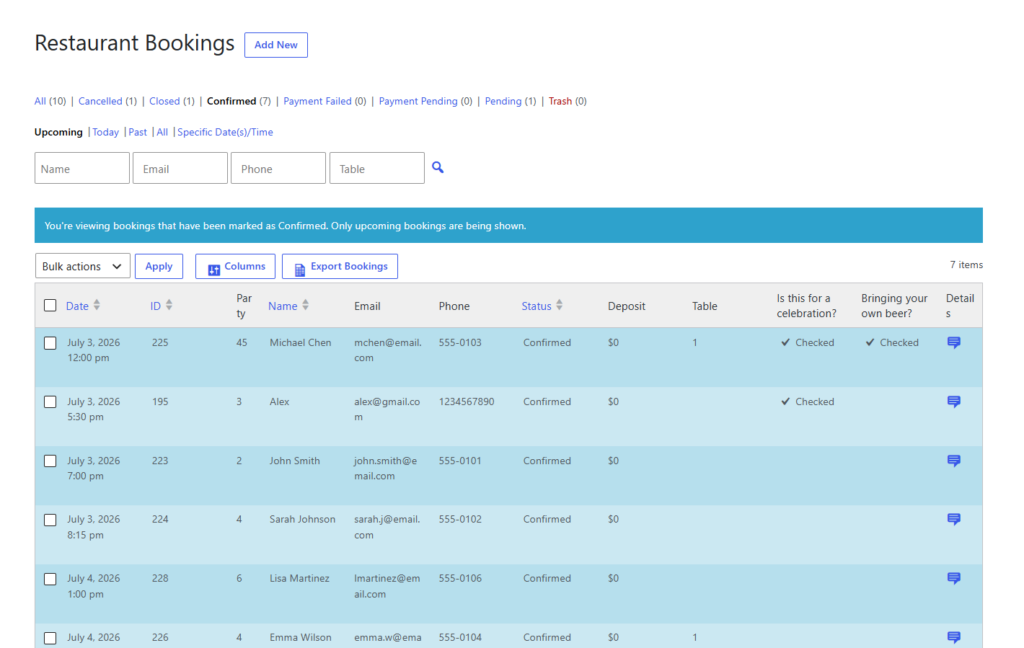
Where simplicity should stop
There are a few areas where “simple” should not mean careless. Do not leave closed dates open. Do not allow party sizes that require manager approval unless you are ready to handle them. Do not rely only on form submissions without confirmations. And do not send guests away to a third-party platform if your goal is to build a direct relationship through your own site.
A simple booking setup can still include direct bookings, reminders, custom hours, and basic restrictions. The difference is that you introduce those controls only where they protect the guest experience or reduce staff workload.
Keep bookings simple without losing control
Use Five Star Restaurant Reservations to accept direct reservations, manage availability, and send confirmations from WordPress.
A finished setup for a small restaurant
Imagine a 45-seat neighborhood restaurant that currently takes reservations by phone. The website gets steady traffic from local search, but guests still have to call during business hours to book. The restaurant adds a reservation page, places a “Book a Table” button in the header, configures dinner hours, limits very large parties, and sends confirmation emails automatically.
That restaurant has answered how to build a simple restaurant booking system without turning the website into a complex software project. Five Star Restaurant Reservations handles the core flow: booking form, direct reservation, staff visibility, and guest confirmation.
Common mistakes in simple booking builds
- Making the page too long before the form: booking intent is high; do not bury the action.
- Asking for too much information: every extra field can reduce completion unless staff truly need it.
- Ignoring mobile guests: many bookings happen from phones while people are choosing where to eat.
- Leaving policies vague: guests should know whether the reservation is confirmed, pending approval, or subject to cancellation rules.
- Skipping staff training: even the cleanest form fails if no one checks the booking dashboard.
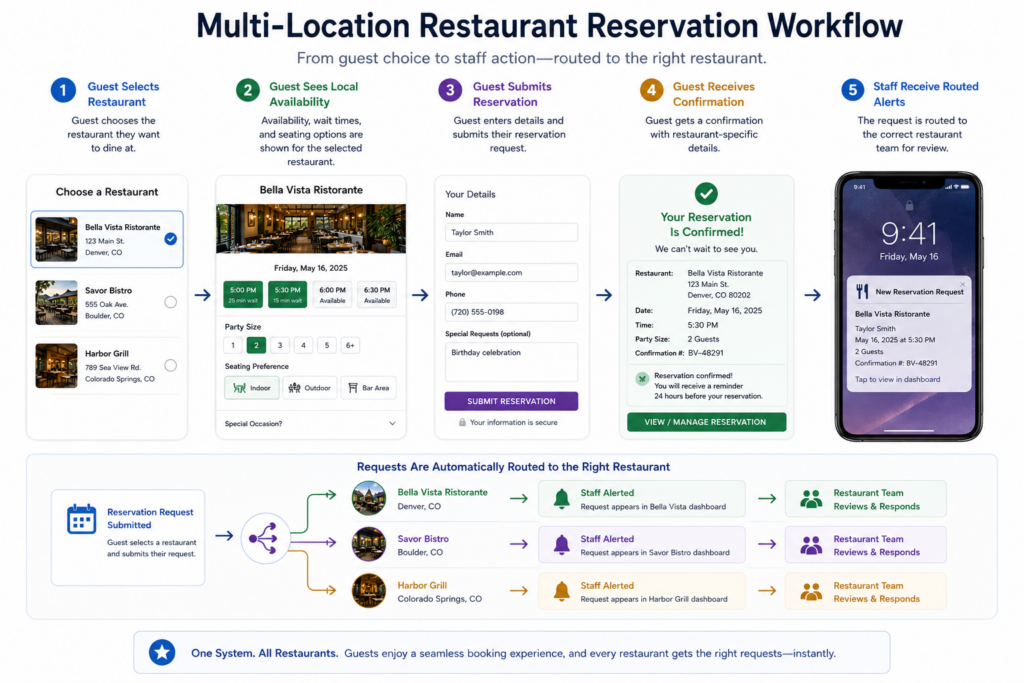
Related Content
Questions about simple restaurant booking systems
Yes, if you configure realistic hours, party-size rules, capacity limits, confirmations, and staff notifications before the booking page goes live.
Not always. Deposits or credit card holds are useful for high-demand nights, large parties, or no-show problems, but many restaurants can start with confirmations and reminders.
A third-party platform may offer discovery, but a direct WordPress booking system keeps the guest on your site and gives you more control over customer data and the booking experience.
Five Star Restaurant Reservations is built for restaurants that want direct bookings, clear availability rules, staff visibility, and guest communication inside WordPress.
The best answer to how to build a simple restaurant booking system is to build only what helps guests book and staff manage the booking. Five Star Restaurant Reservations gives you room to start simple and add more control as the restaurant’s needs grow.
Launch a simple reservation system on your own site
Use Five Star Restaurant Reservations to create a clear booking page, manage availability, and keep guests informed without adding unnecessary complexity.