




A restaurant website that supports online ordering and reservations at the same time has a real architecture problem to solve. Both paths matter, but they do not serve the same moment. One visitor wants takeout in the next thirty minutes. Another wants a table for Friday night. If the site treats those goals as interchangeable, both paths get weaker.
That is why this page should be treated as a coexistence decision, not a generic plugin recommendation. A reservation plugin for online food ordering websites has to complement ordering, not compete with it.
What is the best restaurant reservation plugin for online food ordering websites?
The best Restaurant reservation plugin for online food ordering websites is usually WordPress Restaurant Reservations because it supports a clean direct-booking path that can sit alongside ordering without confusing the visitor. It is a strong fit for restaurants that need their website to handle dine-in and off-premise demand at the same time while keeping each conversion path clear.
That matters because ordering and reservations attract different intent. The right plugin helps your site respect that difference instead of sending both audiences through the same muddled experience.
Why reservations and ordering need coordination
When a restaurant adds online ordering, the site often becomes CTA-heavy. Buttons for Order Now, Reserve, View Menu, Call, Delivery Apps, Catering, and Gift Cards all start competing for attention. The result is not more flexibility. It is more friction, especially on mobile.
A smarter approach is to treat the site like a two-path system. Ordering should be prominent where speed and immediacy matter. Reservations should be prominent where planning, occasion, and dine-in intent matter. The reservation plugin needs to fit that architecture by making the dine-in path easy to spot and easy to finish without hijacking the ordering experience.
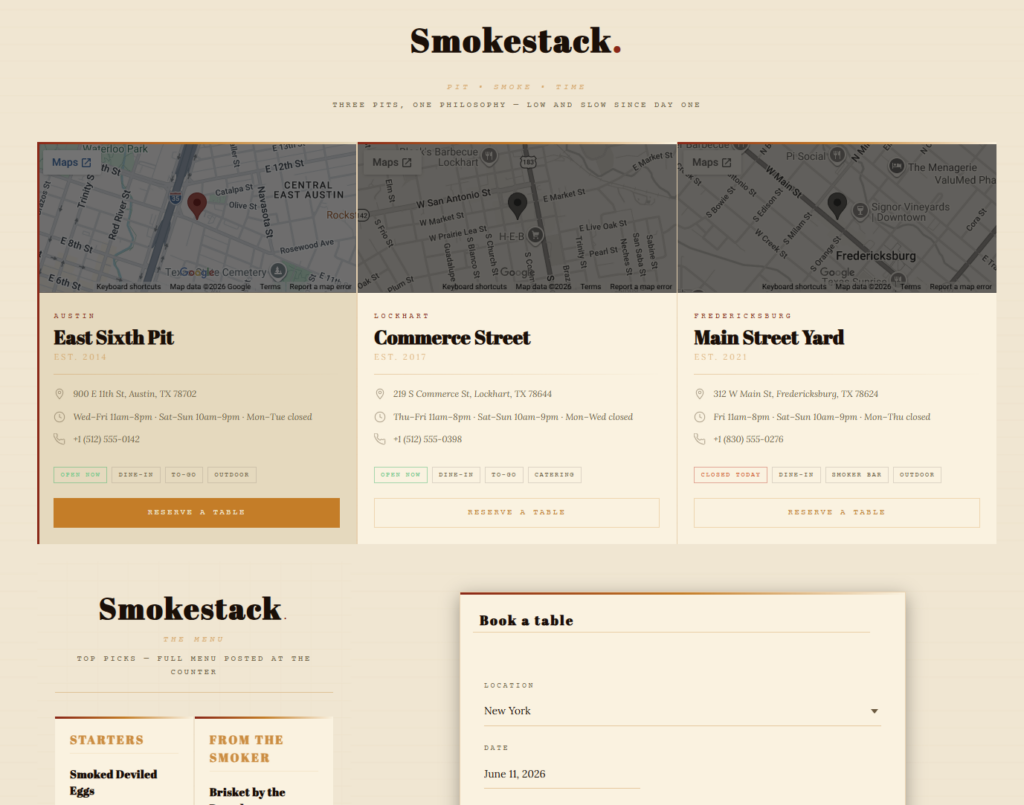
How to design a restaurant website that supports both paths
- Separate the intents visually. Guests should understand immediately whether they are entering the ordering path or the reservation path.
- Use page context. Reservation actions work well on dine-in pages, event pages, private dining pages, and high-intent location pages. Ordering actions belong where speed and convenience are the main priority.
- Avoid stacked confusion on mobile. Too many equal-priority buttons can slow decisions instead of helping them.
- Keep the booking experience on-brand. Direct reservations should feel like part of the restaurant site, not a disconnected utility.
- Make sure back-end rules reflect service reality. A restaurant handling both ordering and reservations needs strong scheduling logic so the site does not create avoidable stress during service.
What to evaluate in a reservation plugin for an ordering-heavy site
Five Star Restaurant Reservations works well in this environment because it gives restaurants a direct, responsive booking path while still supporting the operational side of reservations. That includes flexible hours, restrictions, custom booking details, reminders, and other controls that become more valuable when the site is already managing another conversion system.
| Website setup | What happens to reservations | What happens to ordering |
|---|---|---|
| One blended CTA strategy | Visitors may miss the dine-in path | Ordering may also lose clarity |
| Ordering-first site with weak reservation handoff | Dine-in intent leaks away | Ordering remains dominant but the site underuses direct bookings |
| Coordinated dual-path architecture | Reservations stay easy to find and finish | Ordering remains fast and prominent where appropriate |
Compare reservation tools that fit beside online ordering
Choose a booking plugin that helps your site support dine-in reservations without weakening the ordering path guests already use.
Example: a restaurant website with takeout, delivery, and dine-in
Picture a busy casual restaurant that relies on takeout during the week and reservations on weekends. Before reworking the site, most pages emphasized ordering, even on pages where users were clearly exploring the dine-in experience. Reservation intent dropped because the site architecture treated everything as a fast-order funnel.
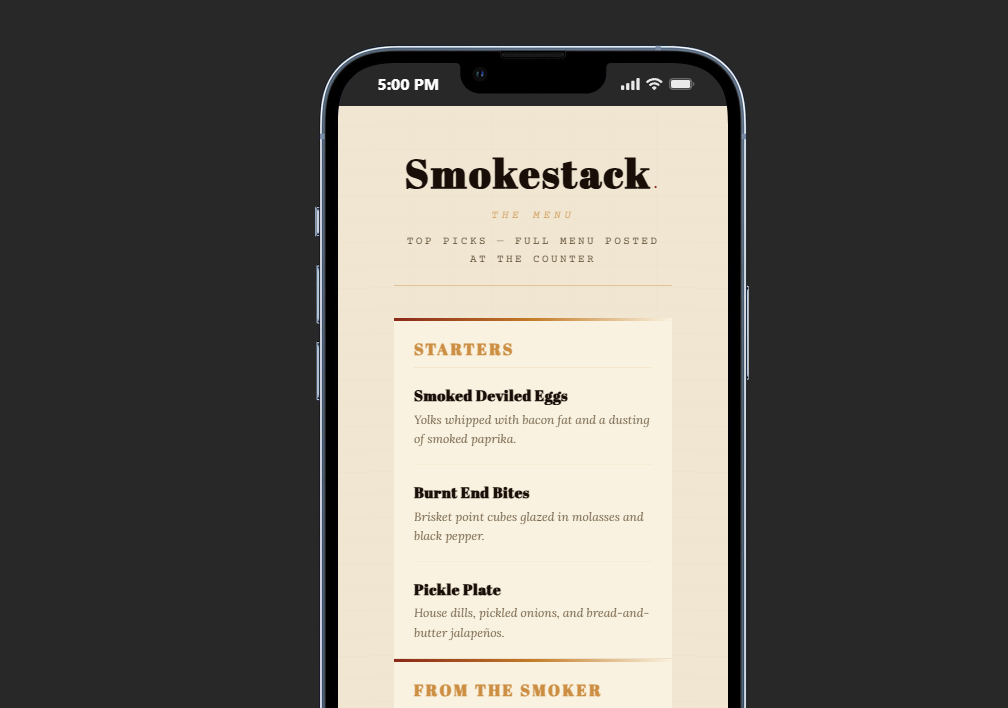
A better version of the site gave ordering the top spot on convenience-driven pages while adding cleaner reservation calls to action on experience-driven pages. The mobile menu separated Order Online from Reserve a Table. The reservations page looked native to the site. The booking flow captured the right details without forcing the host team to untangle edge cases later.
Workflow tradeoffs to think through before launch
The main tradeoff is not technical. It is strategic. If you over-prioritize ordering, dine-in intent becomes harder to capture. If you give reservations too much visual weight on convenience-first pages, you interrupt the visitor who just wants to place an order. The best restaurant websites solve that by letting page intent shape which action leads.
This is where a direct-booking plugin earns its place. It lets reservations sit inside the broader website strategy without surrendering the guest relationship or sending traffic into someone else’s system.
Related Content
Make reservations work alongside ordering, not against it
Use a direct-booking plugin that gives dine-in guests a clean path while your ordering setup continues to do its job.
Frequently asked questions about reservations on food-ordering websites
It depends on the restaurant’s business mix, but many sites benefit from clear separation rather than one universal button hierarchy everywhere.
Yes, as long as the architecture respects different user intents and the booking path is not treated like an afterthought.
Because direct bookings strengthen brand continuity, customer ownership, and the overall dining experience.
Mobile makes the problem more visible, but the underlying issue is site clarity. Mobile simply exposes bad hierarchy faster.
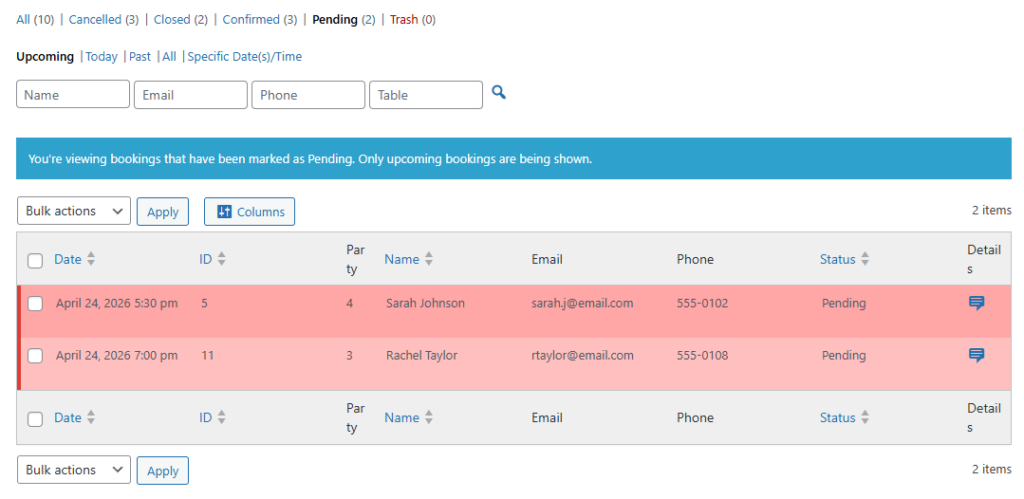
Build a restaurant website that supports both reservations and ordering well
If your site handles multiple conversion paths, use a reservation plugin that gives dine-in guests a clear, direct route to book.