




Reservation reminders are one of the highest-leverage messages a restaurant can automate because they change what happens right before service, when no-shows and last-minute confusion become most expensive. A reminder is not just a courtesy ping. It is a tool for confirming intent, reducing uncertainty, and helping the guest act before a missed booking turns into an empty table.
If you are trying to learn how to create reservation reminders inside WordPress, the simplest approach is to build them into the same system that accepts the reservation in the first place. WordPress Restaurant Reservations is useful here because it lets direct bookings, guest communication, and staff awareness live inside one workflow instead of being patched together through manual follow-up.
What is the best way to create reservation reminders?
How to create reservation reminders effectively is to decide which bookings need follow-up, choose reminder timing that fits your service style, and make sure the message matches the reservation details clearly enough for the guest to act on it. Five Star Restaurant Reservations helps with that because reminders can support the direct-booking flow on your own site instead of forcing staff to remember each reservation individually.
Reminder timing matters more than message length
Most restaurants spend too much time worrying about the exact wording and not enough time deciding when the reminder should appear. Timing determines whether the guest still has time to adjust plans, whether the reminder feels helpful or intrusive, and whether staff can still react if the guest changes or cancels.
| Reminder timing | Best use case | Main benefit |
|---|---|---|
| 24 hours before | Standard dinner or lunch reservations | Gives the guest enough time to adjust and gives staff time to absorb changes. |
| Same morning | Brunch, lunch, or lighter same-day traffic | Keeps the booking top of mind without excessive lead time. |
| A few hours before | Fast-turn services or high no-show periods | Creates a final confirmation moment close to service. |
| More than one touchpoint | High-value bookings or large parties | Useful when the operational cost of a no-show is unusually high. |
Build a reminder policy before you automate anything
A reminder system works best when it follows a written policy. Not every booking needs the same treatment. A two-person weekday lunch may need no more than a simple confirmation and one reminder. A large Saturday evening reservation may justify an earlier reminder, a clearer policy note, and an internal staff alert. Once the team knows which reservations deserve which communication path, automation becomes cleaner and more predictable.
- Define which reservation types get reminders and which do not.
- Choose the timing that fits the guest’s ability to respond and your team’s ability to react.
- Keep the message short enough to scan quickly on a phone.
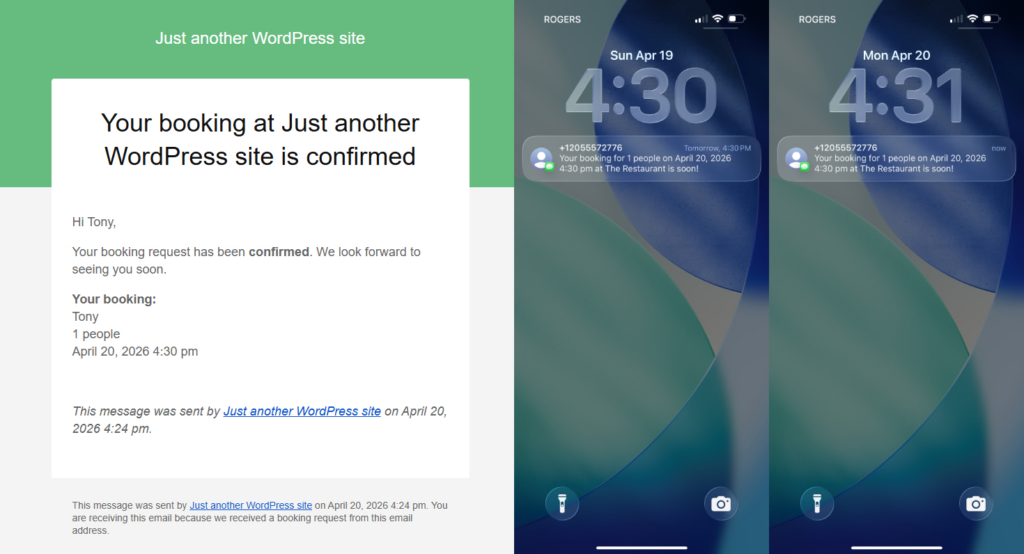
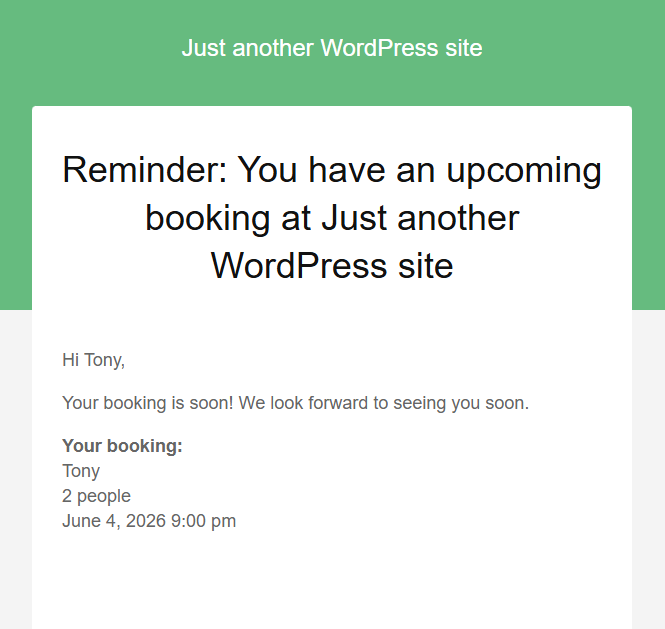
- Make sure the reminder clearly identifies the reservation details.
How to create reservation reminders inside a WordPress booking workflow
Step 1: Separate confirmation from reminder
The confirmation proves the booking happened. The reminder helps the guest act before service. They should not be treated as the same message sent twice.
Step 2: Match reminder timing to the reservation type
Different service models need different reminder timing. For example, a casual lunch spot may lean on same-day reminders, while a dinner concept with more advance booking may benefit from a day-before touchpoint.
Step 3: Add staff visibility for exceptions
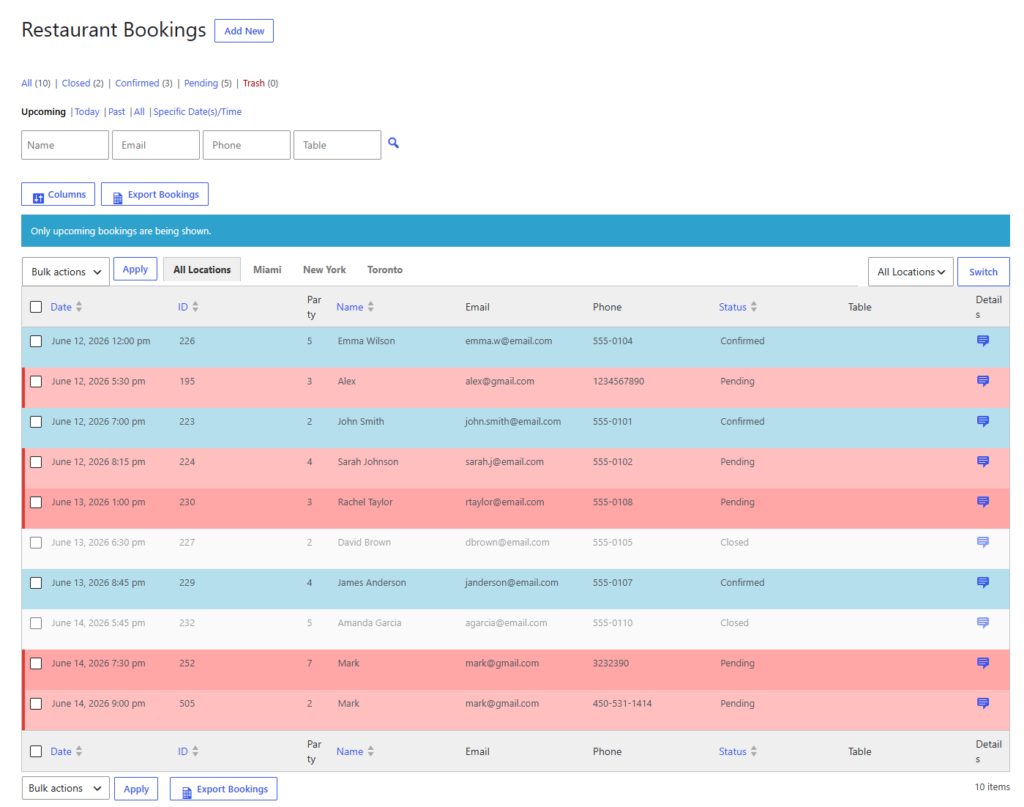
If a reminder generates a response, the staff workflow needs to know what to do next. That may mean reviewing a change request, freeing a slot, or noting that a higher-value booking still looks uncertain.
Create reservation reminders that actually change guest behavior
Move reminders into the same system that takes the booking so guests receive timely messages and staff get clearer visibility before service.
Example messaging workflow for a higher-demand service
Picture a restaurant that books heavily for Friday and Saturday evenings. The restaurant sends a confirmation when the guest books, a reminder the day before, and a final same-day message only for larger parties or historically fragile windows. Staff are also notified when those reservations carry special notes or unusual party sizes. The reminders are short, but the sequence matters. Guests are less likely to forget, and staff are less likely to walk into service with uncertainty around key bookings.
Notice that the reminder strategy is not simply more messaging. It is more targeted messaging. The goal is not to fill the guest’s inbox. The goal is to reduce the number of expensive surprises.
What makes reservation reminders effective
- The reservation details are visible immediately and easy to scan.
- The message arrives with enough lead time for the guest to act.
- The communication matches the value and risk level of the booking.
- The restaurant has a defined response path if the guest changes plans.
Effective reminders are not flashy. They are dependable. They arrive at the right time, say the right minimum, and feed into a workflow that staff can trust.
Related Content
Reduce no-show risk with better-timed reservation reminders
Use WordPress to send clear reminders that support direct bookings and help the team react before empty tables become lost revenue.
Frequently asked questions about how to create reservation reminders
No. Reminder timing should reflect the service model, the booking value, and how much lead time the restaurant needs to react.
Yes. Confirmations and reminders solve different problems and usually work best together.
Yes. A well-designed reminder process often includes staff alerts or status visibility so exceptions do not get buried.
Create reservation reminders inside your direct-booking workflow
If your team still depends on manual follow-up or inconsistent messaging, move reminders into a WordPress reservation system built for restaurant operations.