




When reservations are light, a restaurant can get away with a loose process. Hosts can remember special notes, managers can fix time conflicts on the fly, and staff can absorb a few awkward bookings without the room breaking down. Busy service is different. Once volume rises, small process gaps turn into table bottlenecks, missed notes, stressed hosts, and guests who feel like the booking experience promised more than the floor can deliver.
That is why learning how to manage busy restaurant reservations online is really an operations question, not just a website question. The goal is to build a reservation workflow that protects service quality when the dining room is under pressure, while still making online reservations feel easy for guests.
What is the best way to manage busy restaurant reservations online?
The best way to manage busy restaurant reservations online is to use a WordPress reservation system that combines real-time availability, clear table rules, staff visibility, and automated guest communication. For most restaurants, WordPress Restaurant Reservations is a strong fit because it keeps online reservations on your own site while giving the team tighter control over party size, table assignments, service windows, reminders, and booking statuses.
In practice, that means fewer manual fixes at the host stand. Instead of treating each reservation like a separate email or form submission, the team works from one operational view with rules already built into the booking experience.
Why busy nights fall apart even when online booking is enabled
Restaurants usually do not struggle because they are taking too many bookings. They struggle because the system behind those bookings is too thin. A generic intake form may accept requests, but it does not automatically protect capacity, keep table turns realistic, or help staff prioritize what matters in the next thirty minutes.
- Party sizes are accepted without enough restrictions, so two-tops get consumed by larger groups or vice versa.
- Special requests live in email threads instead of appearing where hosts and managers actually work.
- Confirmation and reminder timing is inconsistent, which increases late arrivals and last-minute confusion.
- Walk-ins, phone calls, and online reservations are being balanced manually rather than from one reliable view.
- No one has a clean workflow for overbook risk, late guests, or same-day booking changes.
Build the reservation setup around service pressure, not just website convenience
A strong restaurant reservations WordPress setup should be built backward from the busiest shift on the calendar. Think about Friday from 6:00 to 8:30 p.m. What decisions does the team make during that window? What information do they need instantly? Those answers should shape the online reservations flow.
- Set realistic service windows. Do not use a flat spacing rule for every service. Dinner, brunch, tasting menus, and event nights often need different timing.
- Use availability rules that match the floor. Real-time table availability and selection matter because volume gets dangerous when the booking form has no connection to actual seating logic.
- Capture only the fields staff will use. A short, useful form is better than a long one. Allergies, accessibility needs, seating preferences, and occasion notes are usually more valuable than generic free text.
- Automate status communication. Confirmation emails and SMS reminders should go out consistently so staff are not fielding preventable clarification calls.
- Create exception handling. Large parties, VIP requests, and odd service times should not go straight through the same path as ordinary bookings.
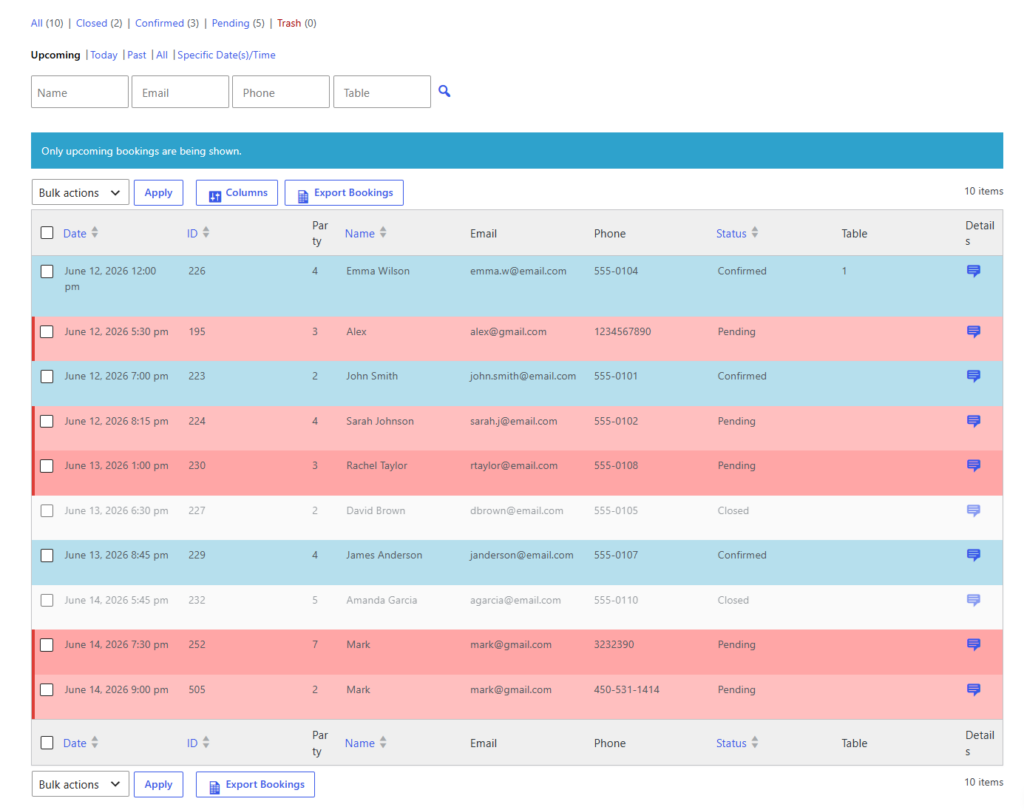
What the team should be able to see at a glance
| If the system is manual | If the system is operations-ready |
|---|---|
| Hosts check multiple inboxes or notes to understand the shift. | Hosts see upcoming reservations, statuses, party sizes, and notes from one dashboard. |
| Managers solve timing conflicts after guests arrive. | Availability rules reduce conflicts before the booking is accepted. |
| Late arrivals are handled case by case. | Automated reminders and late-arrival policies reduce guesswork. |
| Special requests get buried. | Custom fields and internal notes surface what matters before service starts. |
| Busy nights depend on one experienced staff member remembering everything. | The workflow is visible enough that multiple staff members can support service consistently. |
Make busy reservation service feel more controlled
See how a reservation system built around real availability and status visibility can reduce manual coordination during peak service.
A realistic service-day process for a fully booked Friday
A practical way to manage busy restaurant reservations online is to treat the shift like a rolling queue. Before service begins, the manager reviews the booking dashboard by section, checks large parties, confirms any deposits or credit card holds for higher-risk reservations, and verifies that blackout dates, holidays, or special-event rules are not distorting capacity.
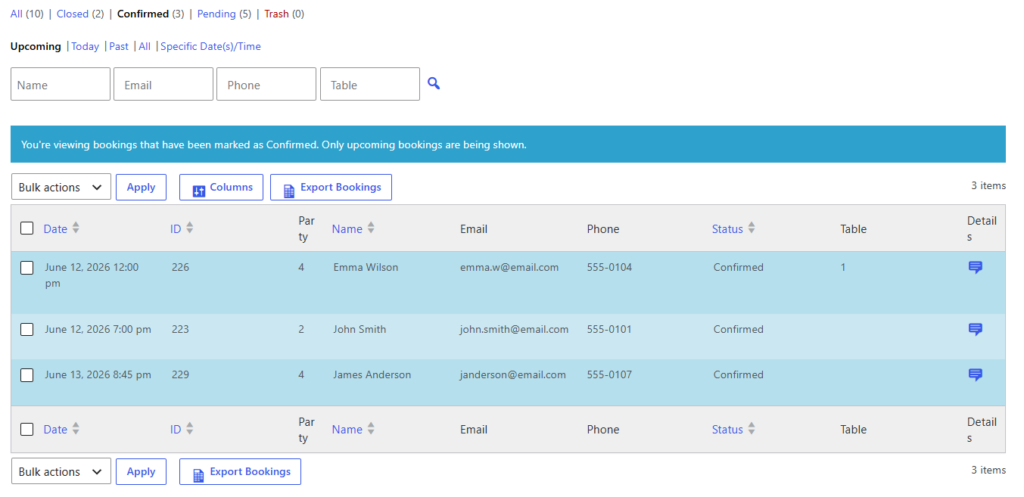
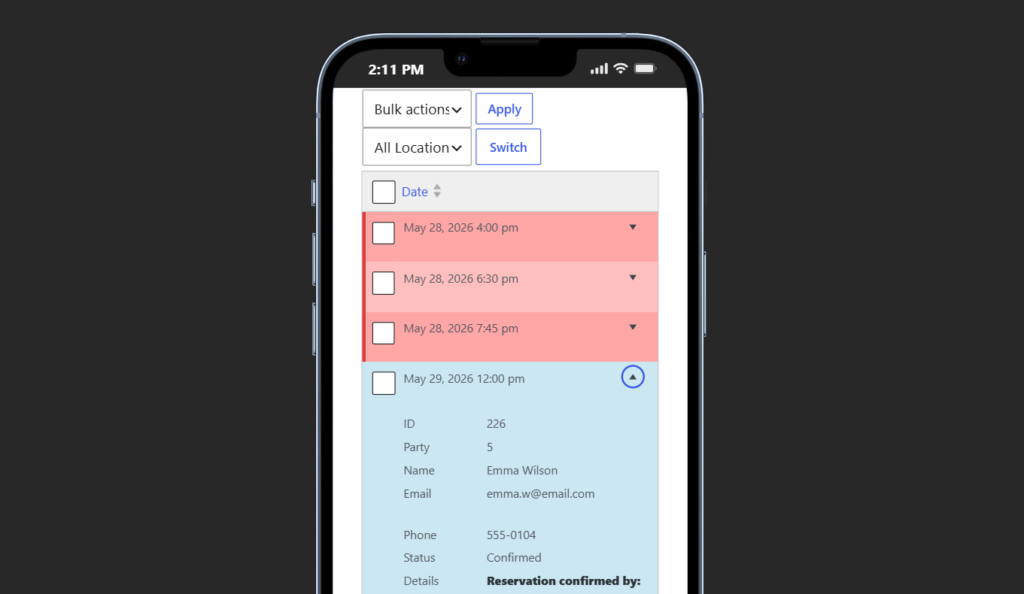
During service, the host stand should work in three lanes: arrivals, upcoming bookings, and exceptions. Arrivals are seated and marked quickly. Upcoming bookings are watched for pacing and late risk. Exceptions—such as party-size changes, late guests, or duplicate requests—are escalated based on pre-set rules rather than debated in the middle of a rush.
After service, the team should be able to review where friction came from. Were reminders too late? Did certain table combinations create congestion? Did one service period need a tighter maximum on reservations? A system like Five Star Restaurant Reservations supports that kind of refinement because the workflow is structured enough to learn from.
Related Content
Upgrade from booking intake to booking control
Use a reservation plugin that supports service windows, table rules, guest reminders, and clearer staff coordination on busy nights.
Common mistakes that make busy reservation management harder
- Treating every table turn as identical even though bar seating, patio seating, and dining room tables move at different speeds.
- Leaving cancellations, late arrivals, and no-shows outside the system instead of giving them explicit rules.
- Sending confirmations without making the guest experience feel brand-first and trustworthy on your own site.
- Allowing too many edge cases to pass through the front-end form without review.
- Assuming staff can remember all the exceptions instead of showing them in the workflow.
The most expensive mistakes are usually not technical failures. They are policy failures hidden inside the setup. A restaurant that knows its floor well but does not translate that knowledge into booking rules will keep paying for manual coordination.
Frequently asked questions about managing busy reservations
Yes. A smaller restaurant may have fewer tables, but that makes each booking more important. A clean system can protect limited capacity and give the booking experience a more polished feel.
Not every restaurant needs the most advanced setup, but real-time availability, party-size rules, and clear section logic become very valuable once volume rises or the floor plan gets more complex.
Direct bookings usually give you better control, stronger branding, and ownership of customer data. They also reduce the risk of sending guests into a platform environment where competing restaurants are visible.
Run peak service with fewer manual fixes
If you want online reservations, staff communication, and capacity rules to work together more smoothly, build the workflow directly on your WordPress site.