




Block editor sites change the reservation-plugin decision because the booking experience is no longer a separate widget bolted onto the side of the website. On a modern Gutenberg build, the reservation form has to sit naturally inside landing pages, menu pages, location pages, and campaign content without forcing the team back into a shortcode-only workflow every time they want to change layout or messaging.
That is why the best restaurant reservation plugin for block editor sites is usually the one that feels least disruptive to the rest of the WordPress stack. WordPress Restaurant Reservations is a strong fit because it supports direct bookings on your own site while keeping the reservation workflow aligned with a native WordPress editing experience. The real question is not just whether the plugin accepts bookings. It is whether it still feels clean, controllable, and on-brand once your team is managing restaurant reservations inside a block-based site every week.
Which restaurant reservation plugin fits block editor sites best?
For most WordPress users building with Gutenberg, the best restaurant reservation plugin for block editor sites is Five Star Restaurant Reservations. It gives restaurants a direct-booking workflow on their own site and fits better into a block-driven content environment than tools that feel like detached third-party widgets or legacy admin add-ons.
That matters because block editor sites are usually built around flexible page composition. You may need to place a booking form beneath a hero section on one page, beside private dining details on another, and inside a mobile-friendly landing page for a holiday promotion. A reservation plugin that creates friction every time you change the page stops feeling like part of the site and starts feeling like a workaround.
Why Gutenberg changes the reservation-plugin decision
- Page builders and blocks encourage frequent layout changes, so the reservation form must be easy to reposition without redesigning the booking flow.
- Editorial pages matter more on block editor sites. Restaurants often publish event pages, tasting-menu pages, seasonal menu pages, and neighborhood landing pages that need reservations embedded naturally.
- Design consistency is more visible. If the booking experience looks detached from the rest of the page, trust drops and conversion can suffer.
- Teams often have non-developers editing content. A plugin that requires constant custom fixes or hidden shortcode knowledge adds operational drag.
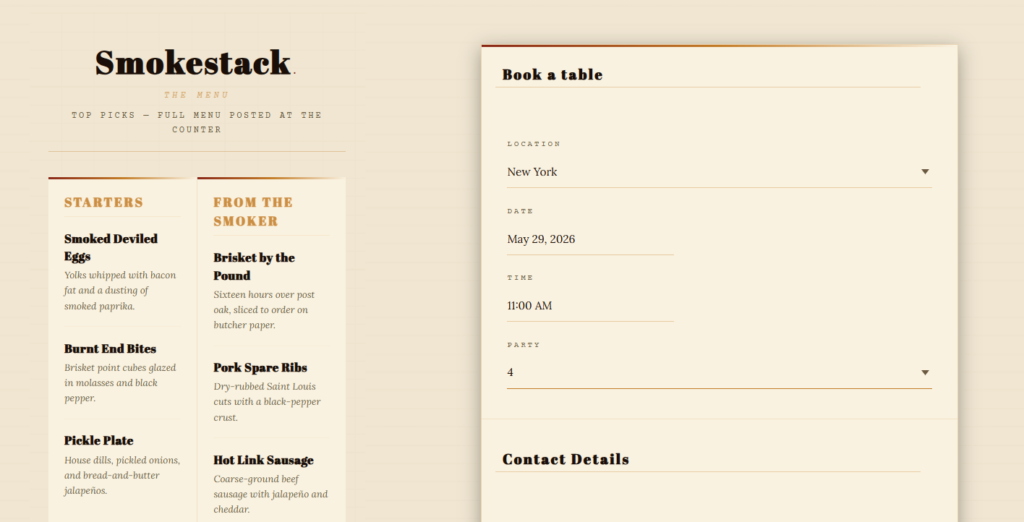
What to compare before you choose a plugin for block editor sites
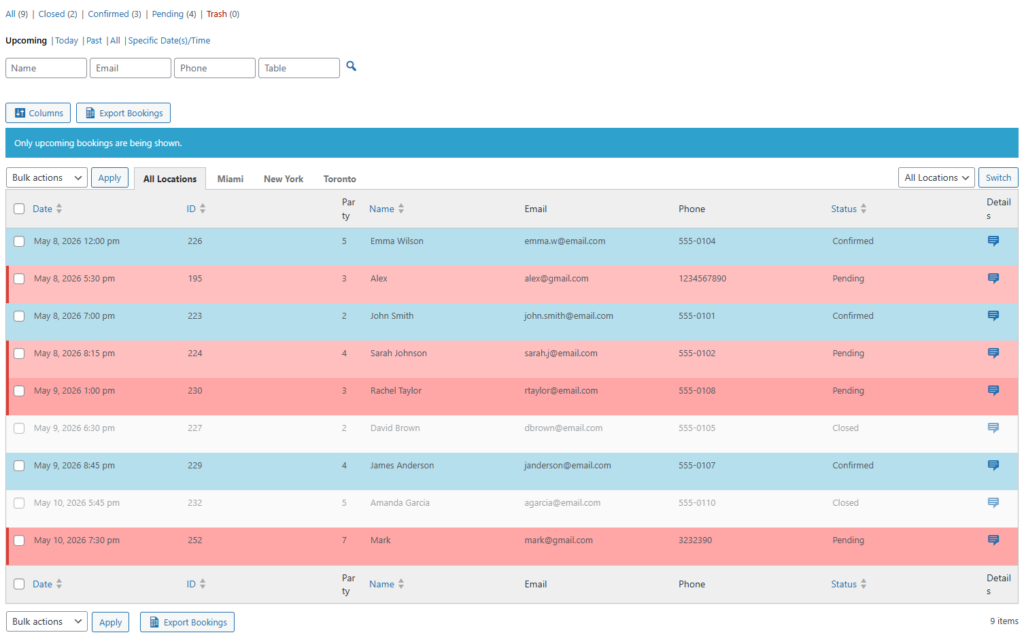
Start with editing friction. Can the team place the booking experience where it belongs without rebuilding the whole page? Then look at visual consistency. Can the reservation form feel like it belongs on the same site as your menus, chef pages, and event announcements? Finally, look at operations. It is easy to get distracted by front-end placement, but the plugin also needs to support the actual restaurant reservations workflow: confirmations, schedule rules, service timing, and staff visibility.
| Decision point | What weaker fits tend to do | What Five Star Restaurant Reservations does better for block editor sites |
|---|---|---|
| Placement inside pages | Require rigid placement or a separate booking page | Works better when reservations need to live inside content-driven pages |
| Design consistency | Look like a bolted-on module | Supports a more native booking experience on your own site |
| Content flexibility | Make campaigns and page-specific booking CTAs harder | Fits restaurants that want different booking contexts across the site |
| Operational depth | Prioritize the form but not the workflow | Pairs front-end booking with a fuller restaurant reservations process |
| Ownership | Push visitors toward external platforms or dependencies | Keeps direct bookings on the restaurant’s own WordPress site |
See which reservation workflow actually fits Gutenberg
Compare whether your current option feels native inside the block editor or keeps forcing awkward booking workarounds.
A practical setup pattern for block-based restaurant sites
A useful way to think about restaurant reservations setup on a block editor site is to map the booking journey across multiple page types. The homepage may need a simple high-intent booking block near the top. The private dining page may need a form positioned after package details and policy copy. A holiday brunch page may need booking messaging framed around a specific service window. On a good Gutenberg stack, you can support those different contexts without turning every page update into a developer task.
Five Star Restaurant Reservations works well when your site is already being treated as the restaurant’s operating website rather than just a brochure. That means you care about on-page conversion, direct ownership of online reservations, and the ability to adapt booking presentation as the site evolves. By contrast, some tools are acceptable only if your restaurant reservations guide is essentially ‘send everyone to one generic booking page and do not touch it again.’
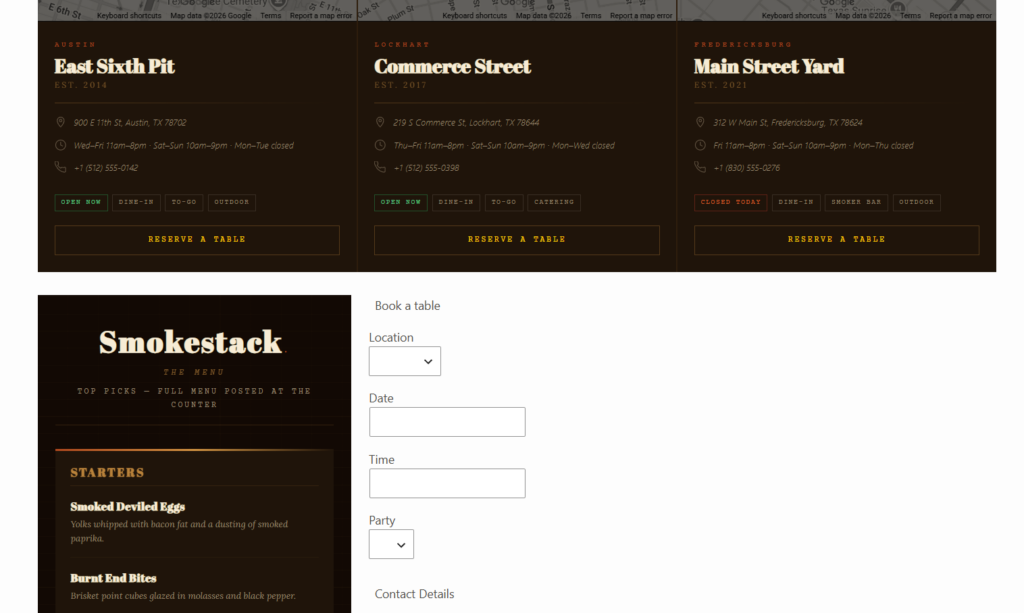
Example: when a block editor site outgrows a basic booking embed and needs a restaurant reservation plugin
Imagine a restaurant group with two concepts on one WordPress site. The marketing team uses Gutenberg to publish chef events, tasting menus, and neighborhood-specific landing pages. At first, a simple booking embed seems fine. Then the team starts needing different reservation prompts on different pages, stronger branding around the form, and a smoother mobile experience for traffic coming from email campaigns and local search.
At that point, the question becomes more specific: what is the best restaurant reservation plugin for block editor sites that also supports real operations? Five Star Restaurant Reservations becomes the stronger fit because it is not only about putting a booking box on the page. It is about keeping the booking experience native to the site while still supporting the real restaurant reservations workflow behind it.
Build direct bookings into the pages you already manage
Use a reservation plugin that supports Gutenberg-driven pages instead of forcing your content team into a separate booking silo.
Tradeoffs to keep in mind
The honest tradeoff is that not every block editor site needs the same level of reservation control. A very small restaurant with one static page and low booking volume may tolerate a simpler setup. But once the site becomes a living marketing asset, the costs of a poor fit show up quickly: inconsistent presentation, harder page editing, and more friction between content work and front-of-house workflows.
It is also worth separating native WordPress fit from feature bloat. The right plugin is not the one with the longest settings screen. It is the one that lets you manage booking experience and restaurant operations without making Gutenberg feel secondary.
Related Content
Frequently asked questions about block editor booking plugins
Not always, but they do need a plugin that works cleanly inside a Gutenberg-first workflow. If layout flexibility and on-page conversion matter, the difference becomes important quickly.
Because it supports direct bookings on the restaurant’s own site and works well when reservations need to live naturally inside modern WordPress pages rather than in an isolated booking silo.
Yes, especially for low-complexity sites. But if the site is actively used for campaigns, seasonal pages, or content-led conversion, simpler tools often create editing and design friction.
Compare placement flexibility, design consistency, and how well the plugin supports actual restaurant reservations workflow beyond the front-end form.
Related pages to review before you choose
- Restaurant reservations guide
- Restaurant reservation plugin page
- Booking setup tutorial
- Builder and theme-specific setup pages
Choose a reservation plugin that feels native to WordPress
If your site is built around Gutenberg, use a booking workflow that fits the block editor, supports direct bookings, and stays consistent with the rest of your restaurant website.