




A mobile-friendly restaurant site does not automatically produce mobile-friendly reservations. Many restaurant websites look fine on a phone but still lose bookings because the reservation path is too long, the form is awkward to complete with one hand, or the primary call to action gets buried below competing elements. When that happens, the problem is not traffic. It is conversion flow.
That is why the right plugin decision for a mobile-focused restaurant site is really a question about user flow. You need a reservation experience that feels fast, trustworthy, and easy to finish on a small screen, especially for guests who are booking while walking, commuting, or deciding where to eat in the moment.
What is the best restaurant reservation plugin for mobile-friendly restaurant sites?
The best Restaurant reservation plugin for mobile-friendly restaurant sites is usually WordPress Restaurant Reservations, because it combines a responsive booking experience with direct-booking control on your own site. It is a strong fit for restaurants that want guests to move from mobile visit to completed reservation without being pushed into a clumsy form, a third-party marketplace, or a confusing series of extra clicks.
For mobile-friendly restaurant sites, the plugin choice matters because mobile visitors are less patient. Five Star Restaurant Reservations helps by supporting a cleaner booking experience, flexible scheduling rules, automated notifications, and a reservation workflow that stays on-brand inside the restaurant’s own website.
Why mobile-friendly restaurant sites change the booking decision
On desktop, visitors tolerate a little friction. On mobile, they rarely do. If your booking button is below a long hero image, if the reservation form asks for too much too early, or if the guest has to pinch, zoom, and scroll sideways to finish, your site quietly loses direct reservations.
This is why a mobile-first booking setup should be judged by what happens in the first ten seconds. Can the visitor tell that reservations are available? Can they tap the booking path without hesitation? Can they select a date, time, and party size without feeling like they are filling out a back-office form? A reservation plugin for mobile-friendly restaurant sites should make those answers easy.
- Visibility: the reservation call to action should appear early and clearly on high-intent pages.
- Tap comfort: buttons, date fields, and time selectors should be easy to use with a thumb, not just a mouse.
- Speed: the booking path should feel quick, especially on mobile data connections.
- Trust: the form should look native to the restaurant site, not like a detached system dropped in at the last minute.
- Completion: the guest should understand exactly what happens after submitting the reservation.
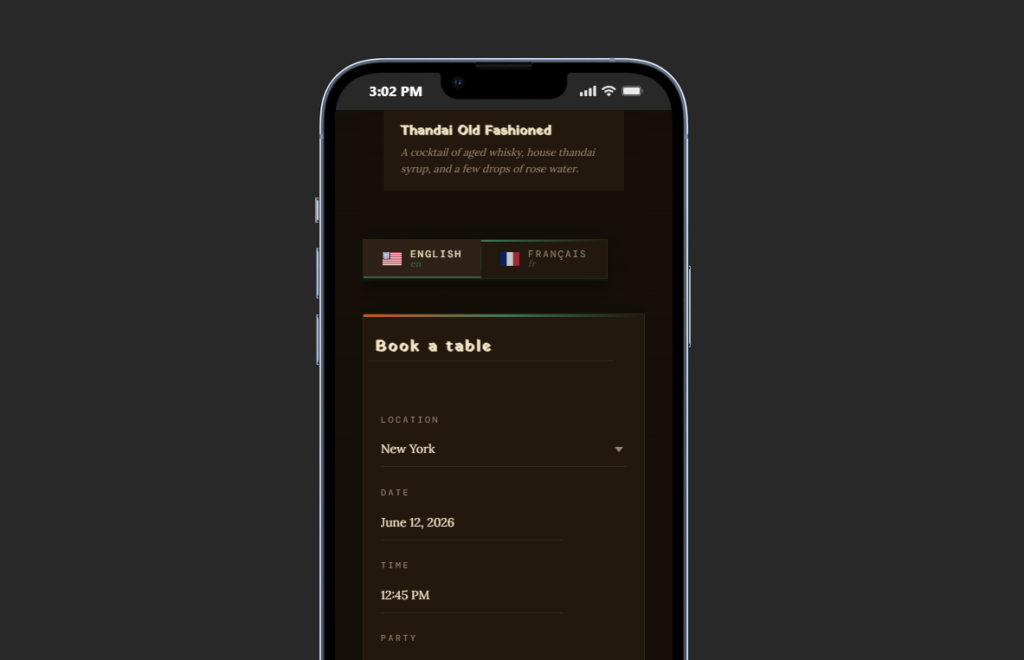
What to look for in a mobile-first reservation flow
The strongest mobile-friendly booking setups usually keep the reservation path narrow and intentional. They do not ask the guest to decode too many choices at once, and they do not force the guest to hunt for the booking option inside a complex mobile menu.
Five Star Restaurant Reservations fits this use case well because it can support a fully responsive booking experience while still giving the restaurant practical control over hours, party sizes, restrictions, reminders, and booking data. That combination matters. Mobile conversion is not just a design problem. It is also an operations problem. If the site accepts bad-fit reservations, staff end up fixing them manually later.
| Mobile booking decision factor | Weak mobile setup | Stronger setup for direct reservations |
|---|---|---|
| Call to action placement | Reservation option buried in the menu or below long content | Booking call to action visible near the top of high-intent pages |
| Form usability | Small fields, awkward date selection, too many steps | Responsive form with a shorter, clearer booking path |
| Brand confidence | Generic or disconnected booking experience | Reservation flow that matches the restaurant site’s look and feel |
| Operational control | Guests can request times that create staff friction | Rules, restrictions, and scheduling settings support cleaner bookings |
| Mobile follow-through | Guests drop off before completion | Clear confirmation path and reminders reinforce completion |
See which booking setup actually works on a phone
Compare reservation options built for direct bookings, mobile usability, and cleaner completion rates on restaurant sites.
How page layout affects completed reservations on mobile
For a mobile-friendly restaurant site, the plugin and the page layout have to work together. A good setup often includes a short hero section, one primary action above the fold, a compact reassurance layer nearby, and a booking path that does not get interrupted by unrelated promotions.
- Start with one clear primary action. If reservations matter, the most obvious tap target on the page should support that outcome.
- Reduce competing choices near the booking entry point. Too many links to menus, events, gift cards, and announcements can split attention right before conversion.
- Keep proof close to the action. Signals like “Book directly on our site” or “Instant confirmation” help reduce hesitation without adding clutter.
- Use the reservation form where intent is highest. A reservations page, landing page, or sticky section can work better than hiding the path in navigation alone.
- Design for service reality. The reservation flow should reflect actual hours, capacity, and booking policies so staff are not fixing preventable errors later.
Related Content
A realistic example of a conversion-focused mobile booking flow
Imagine a 55-seat neighborhood restaurant that gets most of its traffic from Instagram, branded search, and mobile Google results. Before changing its booking path, the site looked polished but underperformed. The reservation button sat under a large gallery, the form was hard to complete on smaller screens, and guests often called instead of finishing online.
After moving to a clearer direct-booking setup, the restaurant shortened the path. The home page promoted one reservation action, the dedicated reservations page loaded a cleaner form, and the booking process matched the restaurant’s brand rather than sending the guest into a disconnected experience. The result was not just more online bookings. It was fewer incomplete attempts and less front-of-house cleanup.
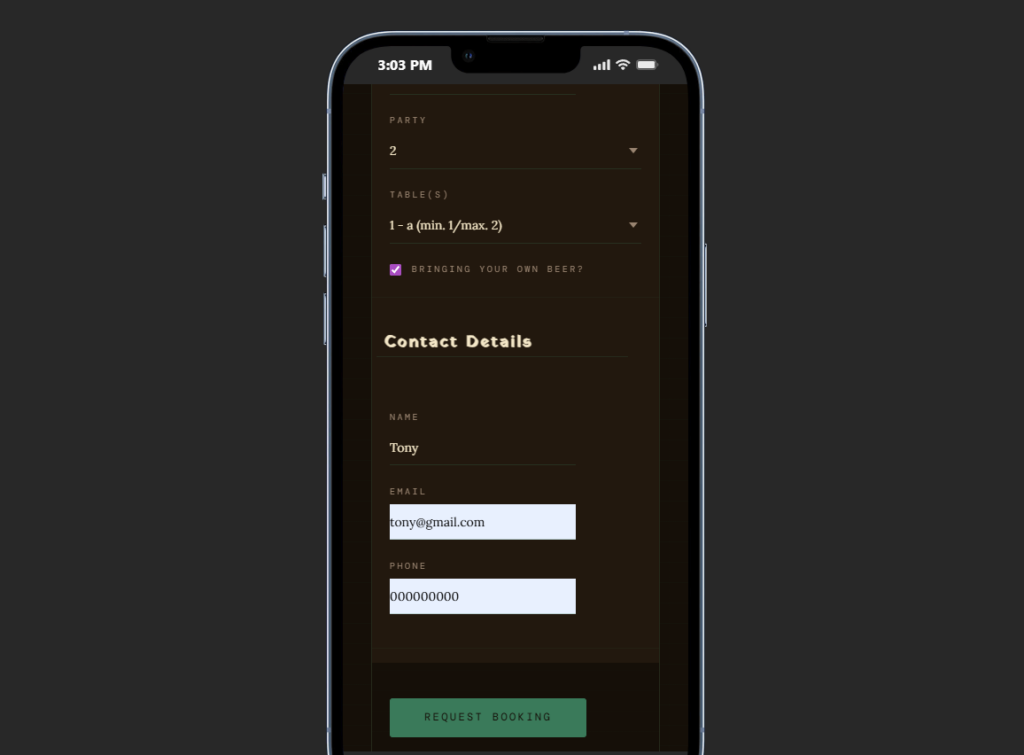
Turn mobile visitors into direct reservations
Use a booking flow that feels fast on mobile while still giving your restaurant the scheduling control it needs behind the scenes.
Frequently asked questions about mobile-friendly reservation plugins
No. In most cases, you need a reservation plugin that works responsively inside your existing site and a page layout that supports fast mobile completion.
Because many diners make decisions in the moment. If the mobile booking path feels slow or confusing, they often stop or choose another option.
Yes. A branded, on-site experience feels more trustworthy and higher end, and it reduces the risk that the guest drifts into a third-party environment before completing the reservation.
A good reservation setup still helps. It lets you capture high-intent guests online while keeping availability rules aligned with how you actually manage the floor.
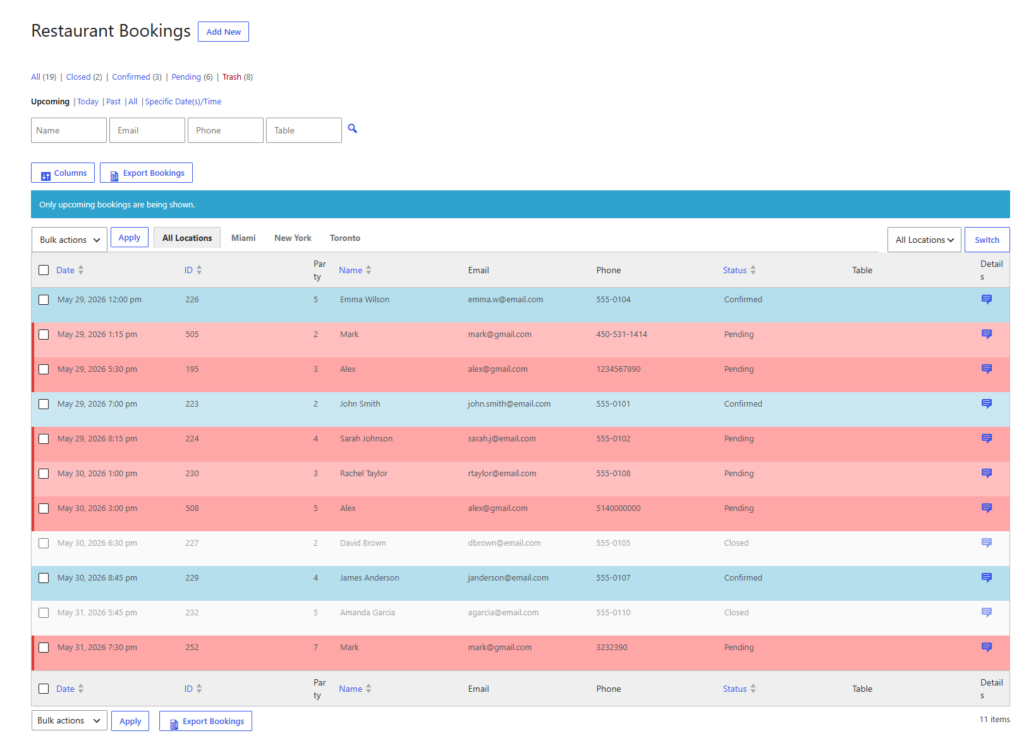
Build a mobile-friendly restaurant site that actually books tables
If your restaurant depends on mobile traffic, use a reservation plugin that makes direct bookings easy to complete and easier to manage.